
Finding your real WordPress plugin competitors (or a theme's rivals - the same four channels apply) means checking four separate places - the exact terms a buyer would search, your category's actual top plugins by install share, premium marketplaces outside WordPress.org entirely, and the plugin names your own users bring up unprompted - because any one of these alone tends to miss someone who matters.
This is the list-building step that comes before running the full 11-signal scorecard on anyone specific.
A search on StatWP for your problem sentence, or a category browse on the Niche Research tool, covers the first two places below in one search each - faster than opening WordPress.org's own search and a dozen individual listings.
Browse the Niche Research Tool
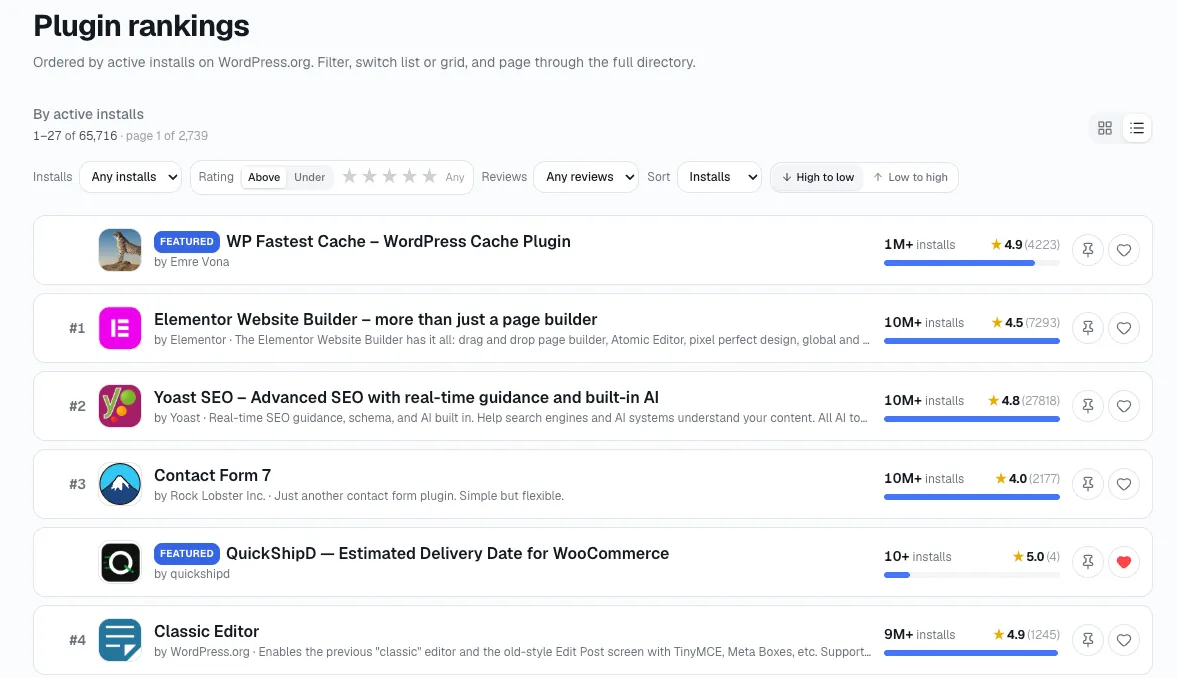
Type the words a buyer would actually type
Run the same problem sentence a real user would type - not your plugin's category name - against WordPress.org's own search and a catalog like StatWP. The results won't perfectly match a tag-based browse, which is exactly the point: a buyer isn't browsing tags, they're describing a problem, and whoever shows up for that phrasing is a real competitor whether or not they share your tags.
Run the same sentence a few different ways before you stop. "Contact form builder," "add a contact form to WordPress," and "WordPress form plugin" can each surface a slightly different set of results, because WordPress.org's own search and a catalog like StatWP don't weight phrasing identically. I still count a competitor that ranks for the second phrasing but not the first as a real competitor - it's just optimized differently, which is itself worth noting when you get to studying its positioning later.
Who actually holds the installs in your category?
Open the Niche Research tool, pick your category, and you'll see plugins ranked by install share directly - no need to guess from search-result order alone, which can be influenced by factors other than installs.
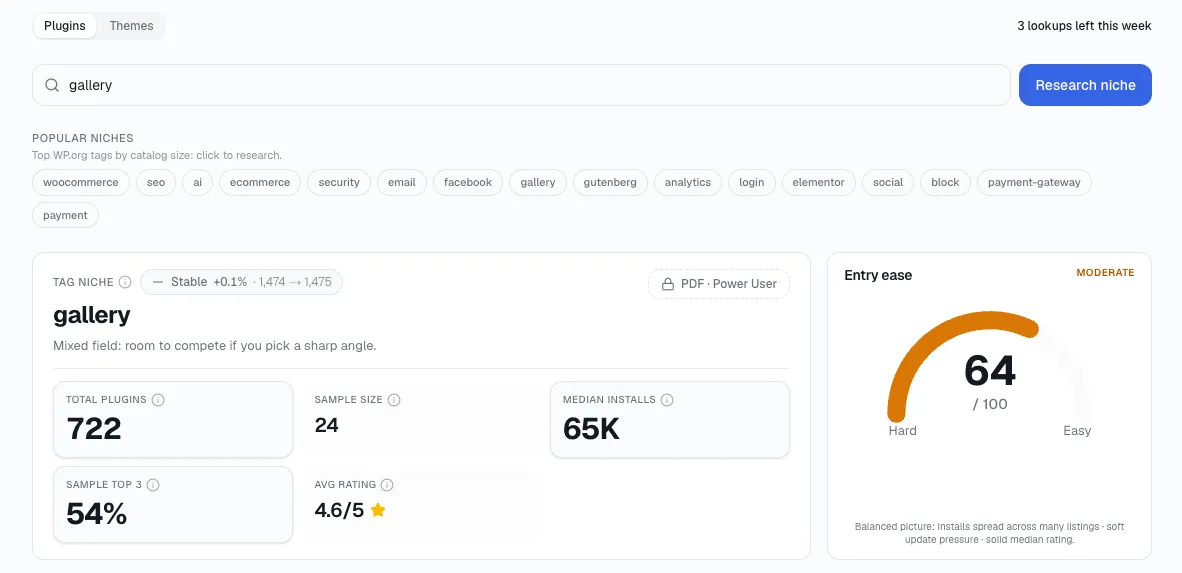
Here's what stands out to me: search-result order and install share genuinely diverge. A plugin can sit near the top of a WordPress.org search because its listing is well-optimized for that keyword while a bigger, more-installed competitor sits lower because its readme was never tuned for that exact phrase. I've found checking install share directly catches the second plugin - the one search rank alone would have hidden from you.
Don't ignore what's outside WordPress.org entirely
Premium marketplaces and direct-sale, SaaS-style WordPress add-ons compete for the same users without appearing in any public WordPress.org list. If your category has any premium-only presence, that vendor is a real competitor even though none of the install data above will ever surface them - you have to go looking on the marketplace itself.
This category is easy to underweight precisely because it's invisible to every install-based tool, including StatWP's own niche and compare views, which read WordPress.org data. A plugin sold entirely through its own site, with no free WordPress.org listing at all, can still be the exact product a prospective user compares you against during a sales conversation - it just never shows up in a keyword search or an install-share ranking.
Listen for the name your users keep bringing up
When a prospective user asks how you compare to a specific plugin unprompted, they've already told you who they're weighing you against - regardless of whether that plugin shows up in any of the searches above. A name that keeps coming up in sales conversations or support threads belongs on the list even if it's technically a small player by installs.
Keep a running note of these names as they come up rather than trying to remember them later. I count a name mentioned once as possible noise. A name that comes up from three unrelated users in the same quarter is a pattern worth investigating, even if it never appears in a single one of the other three channels.
Real quick: To find your real WordPress plugin competitors, check four places - the exact terms a buyer would search, your category's top plugins by install share, premium marketplaces outside WordPress.org, and the plugin names your own users bring up unprompted.
What each channel catches - and what it quietly misses
None of these four channels is complete on its own — that tracks with what I've seen elsewhere. Here's what each one is actually good at, and where it leaves a gap the other three have to fill:
| Channel | What it catches | What it misses |
|---|---|---|
| Problem-sentence search | Whoever's actually visible for the real buyer query | A bigger plugin with a poorly optimized listing |
| Install share by category | Who genuinely holds the most users right now | Anything sold outside WordPress.org entirely |
| Premium marketplaces | SaaS-style add-ons with no free WordPress.org listing | Anything too small or new to have marketplace presence yet |
| User-mentioned names | Whoever your actual buyers are weighing you against | Anyone your users haven't encountered yet |
Now narrow the list to who's actually worth tracking
Work it down in order:
Start with four to six names - that's usually enough.
Narrow to the three to five that are actually alive - growing installs, recent activity. A plugin that hasn't shipped a release in over a year and shows flat or declining installs isn't dead weight to ignore entirely, but it doesn't earn a monthly tracking slot next to competitors that are actively moving.
Run the full scorecard on each one, or pull them all into StatWP's compare tool - plugin or theme - to see the same signals side by side at once.
Take a closer look at the strongest name on that shortlist - see what a specific successful plugin's traits actually look like beyond just where it lands on the list.
The mistake that shrinks this list too early
The most common mistake I see isn't missing a channel - it's stopping after the first one that returns results. A founder runs one keyword search, sees three familiar names, and calls the list done. That list is usually missing the premium-only competitor and at least one name their own users would have mentioned if asked directly.
Run all four channels once, even if the first one feels sufficient. The names that show up in only one channel are often the ones worth the closest look, precisely because they're the ones a shallower process would have missed entirely.
A few things people ask before they start
How many competitors is too many to track seriously?
Past five or six, the list stops being something you actually check on a schedule and starts being something you glance at occasionally. Narrow to the three to five that are genuinely active before moving into ongoing tracking.
Does a plugin need to be in my exact category to count as a competitor?
No - what matters is whether it answers the same buyer problem sentence, not whether it shares your WordPress.org tags. A plugin filed under a different category that still shows up for your core search phrase is competing with you whether or not the taxonomy agrees.
What if a name only ever comes up from one user?
Note it and move on rather than discarding it. One mention could be noise, but it costs nothing to keep a short running list - if the same name shows up again from an unrelated user later, it's earned a real look.
Should I include plugins that are clearly much bigger than mine?
Yes, at the list-building stage - size gets filtered out at the narrowing step, not here. A much bigger plugin with flat or declining installs can be less urgent to track than a smaller one with strong growth, and you won't know which is which until you've run the numbers.
Turn the list into a routine
Once you've got three to five real names, the work shifts from finding them to studying and then watching them. Reading a specific competitor's strengths and weaknesses is the next step for any one name on the list, and tracking the whole shortlist on a fixed cadence is what keeps the list from going stale.