Most WordPress plugins don't fail because the code is bad. They fail because nobody checked, before writing a single function, whether the problem was already solved, whether the market for it was growing or shrinking, and whether anyone would actually switch.
This guide walks through an eight-step process for researching a plugin idea against real WordPress.org data before you commit engineering time to it. It's for indie developers, agencies, and product teams sizing up an idea - not for validating a plugin you've already started building. Budget 30–45 minutes for a first pass on one idea.
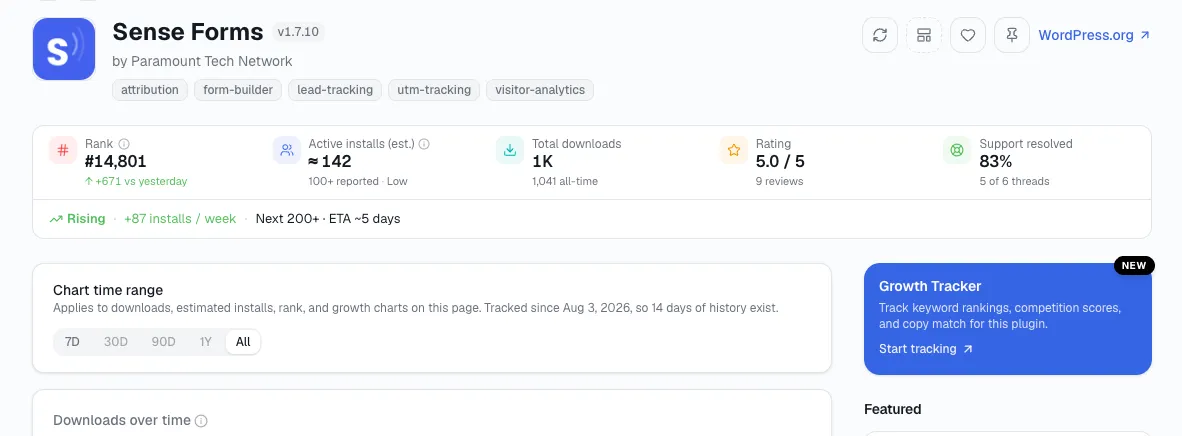
Most of the checking below - install trends, maintenance dates, star ratings - is one lookup away rather than eight separate tabs. Search your candidate plugin on StatWP and its own plugin page already shows install growth, momentum, and rank in one place - the same is true if you're sizing up a theme idea instead of a plugin; the eight steps that follow are what to actually do with what you see there.
The essential bit: To research a WordPress plugin before building it, run it through an eight-step process checking WordPress.org install trends, maintenance history, and review complaints - budget 30-45 minutes for a first pass on one idea.
Why the plugin directory looks more crowded than it is
The WordPress.org plugin directory listed 65,282 plugins as of early August 2026, according to plugin-count tracking by WP Odyssey and similar by StatWP Plugin directory backed by WP.org. That sounds like an impossibly crowded market - until you factor in maintenance. Roughly 59% of plugins in the directory, more than 34,000 of them, haven't been updated in over two years, per WP Tavern's analysis of directory data. I'd call most of that catalog dead weight, not competition - but a raw search result can't tell you which is which. You have to check.
The upside of getting this right: WordPress still runs an estimated 41–43% of all websites, per W3Techs' CMS usage tracking. Even a narrow plugin category is competing for a slice of one of the largest software markets that exists. The research below is how you find out whether your slice is open.
The 8 steps that answer it
1. Write the problem down, not the plugin idea
Before searching anything, write one sentence a real user would say out loud - not a feature list. "I can't tell which of my forms are actually converting" is a problem. "A form analytics plugin" is not; it's a solution you've already jumped to.
If you can't state the problem in a sentence someone would type into a search box or a support forum, you're not ready to search yet, because you don't know what to search for. If you don't have a candidate problem yet, how to find profitable WordPress plugin ideas covers the five places these actually come from.
2. Find everyone else already trying to solve it
Search that problem sentence, and variations of it, against the WordPress.org directory. Don't stop at page one. The native directory search is fine for finding candidates, but it forces you into one tab per plugin to see installs, rating, and last-updated date.
Running the same search in StatWP's plugin catalog puts install counts, star ratings, and update trends in one sortable list instead - I should note that's the specific tab-switching problem the catalog was built around, so take that as a disclosed recommendation, not a neutral one. Either way, aim for a list of 15–25 candidates before you filter anything out.
3. Read the active-install trend, not the current count
A plugin sitting at 10,000 active installs could be growing or dying - the number alone doesn't say. Pull the 90-day and 12-month trend for each candidate, not just today's snapshot.
I'd call a plugin with 2,000 installs climbing steadily a healthier competitor, and a better sign of real demand, than one with 10,000 installs that's been flat or sliding for a year. This is the step people skip most often because WordPress.org's own plugin page only shows the current bucketed count, not the history - looking that candidate up on StatWP gets you its own plugin page, which holds that history - rank over time and growth % included - instead of just today's snapshot.
4. Check the maintenance heartbeat
Look at last-updated date, changelog frequency over the plugin's full history (not just the latest entry), and the "tested up to" WordPress version tag.
Given that 59% of the directory hasn't shipped an update in two years, a single recent-looking update date can be misleading if the four updates before it were also years apart - check the cadence, not the most recent point.
A plugin that ships small updates every 6–8 weeks is a materially different competitor than one that pushed one panic update after a security report and went quiet again. Maintenance cadence like that is one of the specific traits covered in what makes a WordPress plugin successful.
5. Mine reviews and support-forum threads for the gap
Read the 1- and 2-star reviews and open support-forum threads on each candidate, specifically hunting for repeated phrases: "doesn't work with," "wish it could," "had to switch because."
You're not scoring sentiment - you're collecting the exact words real users type, because that's the language your landing page and feature list should use later if you build. One complaint is noise. I file the same complaint showing up on four different plugins in the category under a gap.
6. Put your top 3–5 contenders side by side
Narrow your 15–25 candidates to the 3–5 that are actually alive: growing installs, recent cadence, active support responses.
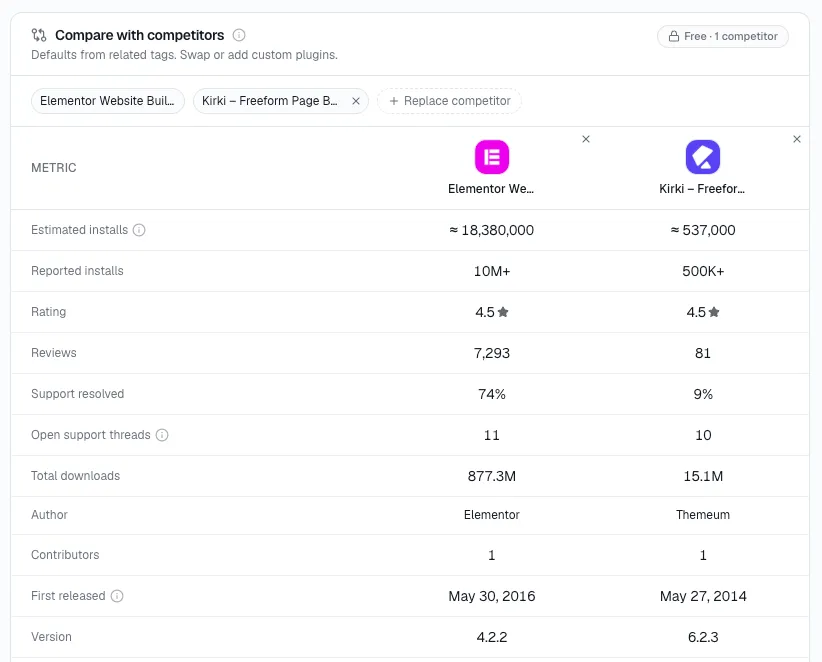
Put their installs, rating, pricing tier, and last-update date next to each other in one view - StatWP's compare tool does this directly, though it's gated to paid plans beyond a limited free comparison, worth knowing before you rely on it for a large candidate list. A spreadsheet works too; the point is seeing all five at once, not five open tabs.
7. Check whether the niche is saturated or just crowded
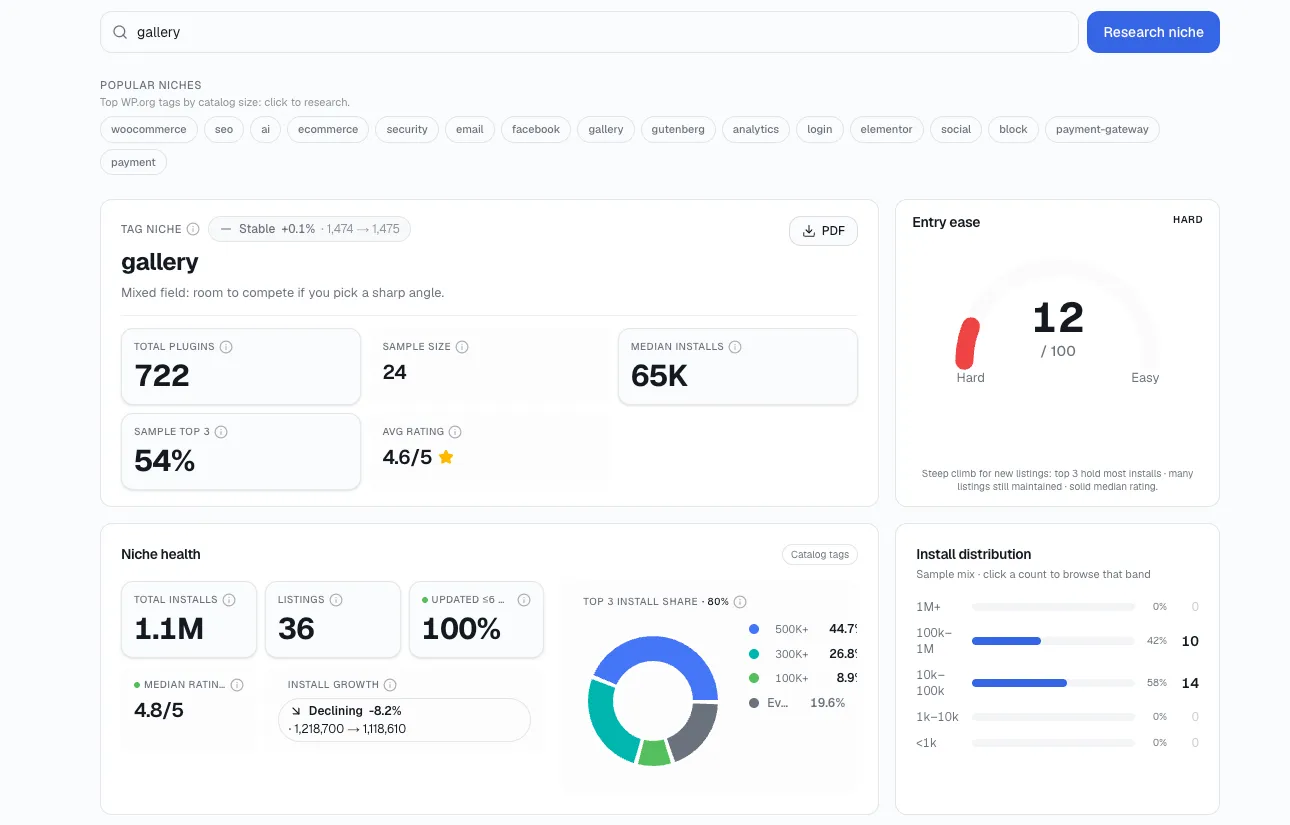
Twenty plugins in a category isn't automatically bad news - twenty plugins where five are actively maintained and growing is a very different market than twenty where none are.
I think of saturation as a function of live, growing competitors, not raw listing count. This is the specific distinction a niche-level view is built to surface, by aggregating trend data across a whole category instead of one plugin at a time - StatWP's Niche Research tool works this way, and its niche health and install-distribution views are the subject of the companion guide on niche research.
8. Decide: build, don't build, or build the missing piece
Resolve “it depends” into a rule before you talk yourself into building anyway. Validating a WordPress plugin idea with real market data breaks that decision down into the four specific data types worth pulling before you get here. As a default, three situations cover most cases:
Three or more actively maintained, growing plugins, with the same complaint repeating across all of them: build the specific feature that fixes that complaint - not a general competitor.
Zero candidates actively maintained and growing: treat that as a demand question first, not a market gap. An empty category is sometimes empty because nobody wants it solved as a plugin.
One or two plugins dominate with no repeated complaints: that’s a “don’t build” result - look at an adjacent problem instead.
Manually pulling install trend, update cadence, changelog, and top reviews for ten candidates by hand realistically costs two to three hours of tab-switching and spreadsheet work. That specific cost is what we built StatWP's catalog and compare views to remove - say that plainly since we're the vendor recommending it here, and judge the tool against whether it actually saves you those hours on your own idea.
Where this process usually goes wrong
Confusing raw installs with active installs. WordPress.org reports current active installs in broad buckets (1,000+, 10,000+, and so on) - treat the number as a range, not an exact count.
Trusting the star rating alone. Ratings can be inflated by in-plugin review prompts that only fire for happy users. Read the actual 1- and 2-star text, not just the average.
Ignoring the "tested up to" tag. A plugin last tested against a WordPress version from two major releases ago is a compatibility risk for anyone who installs it today, regardless of its install count.
Only checking WordPress.org. Public install and ratings data only covers the free directory. Premium marketplaces (CodeCanyon, direct-sale plugins, SaaS-style WordPress add-ons) compete in the same space without reporting install counts anywhere - this research method has no visibility into them, and I'd call that a real blind spot worth naming rather than ignoring.
FAQ
How long should plugin research take before I start building?
Budget 30–45 minutes for a first pass on one idea, following the eight steps in this guide. A crowded category with dozens of live contenders will take longer to narrow down; a niche with under ten results goes faster.
What counts as a "good" active-install trend?
Growth over a rolling 90-day window beats a high number that's plateaued. A plugin plateaued at a high count isn't necessarily declining, but it also isn't evidence of unmet demand - you're looking for movement, in either direction, more than the absolute number.
Can I trust the exact install count shown on WordPress.org?
Only as a range. WordPress.org buckets active installs (10, 100, 1,000, 10,000, and so on) rather than reporting an exact figure, so two plugins both shown as "10,000+" could differ by a factor of five in reality.
Is a crowded niche automatically a bad idea?
No. Crowded-and-unmaintained and crowded-and-dominated-by-active-competitors are opposite situations that look identical in a plain search-results count. Step 7 in this guide is specifically about telling them apart before you decide.
What share of WordPress.org plugins are actively maintained?
Roughly 41%, going by WP Tavern's finding that about 59% of the directory's plugins haven't shipped an update in over two years - which on a catalog of 65,282 listed plugins works out to more than 34,000 that are effectively dead weight, not real competition.
Run this on your own idea
If you have a plugin idea sitting in a notes app right now, run it through steps 1–8 against real data before you open an editor:
Search and browse the plugin catalog on StatWP for your category.
Pull the install trend on your top candidates.
Use the compare view to line up the 3–5 that are actually alive.
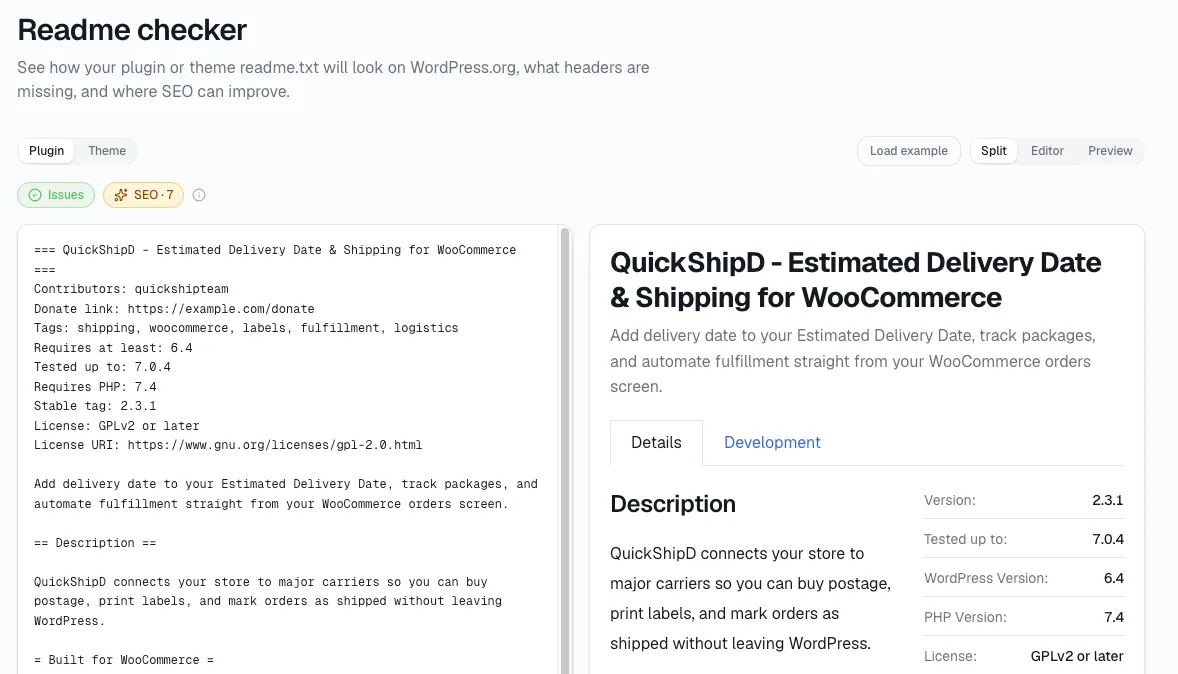
If you get to step 8 and decide to build, StatWP's Readme Checker is worth running against your own readme.txt before you submit to the WordPress.org directory, so your listing doesn't get flagged on format before anyone even sees the plugin.