
Researching a WordPress plugin niche means measuring an entire category of plugins - its combined install growth, what share of it is still actively maintained, and whether it splits into sub-niches with different levels of competition - before you commit to one specific plugin idea inside it.
That's a different question from validating a single plugin idea, which is what our guide on how to research a WordPress plugin before you build one covers. This process sits a level above that one: it's for the point before you've picked an idea, when you're deciding which category is even worth entering. Budget 45-60 minutes for a first pass on one niche.
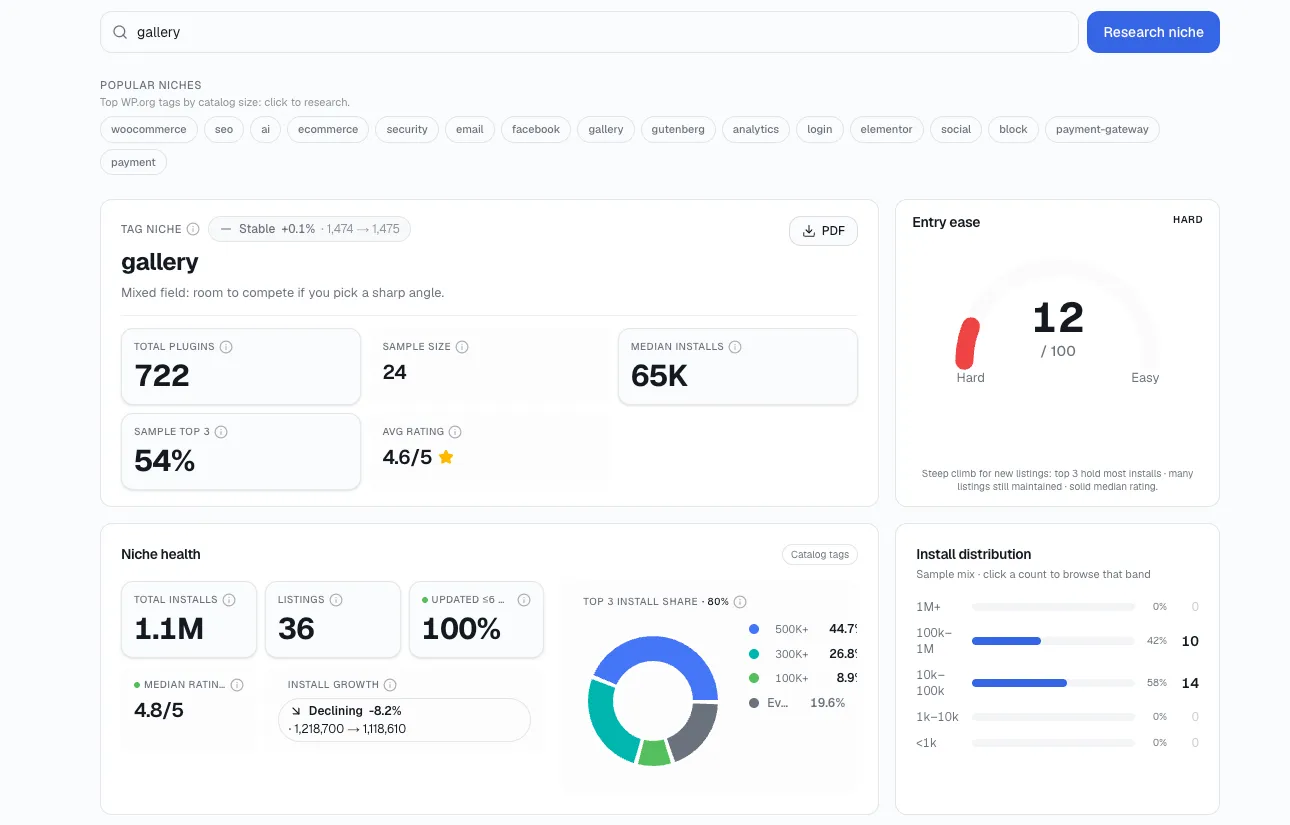
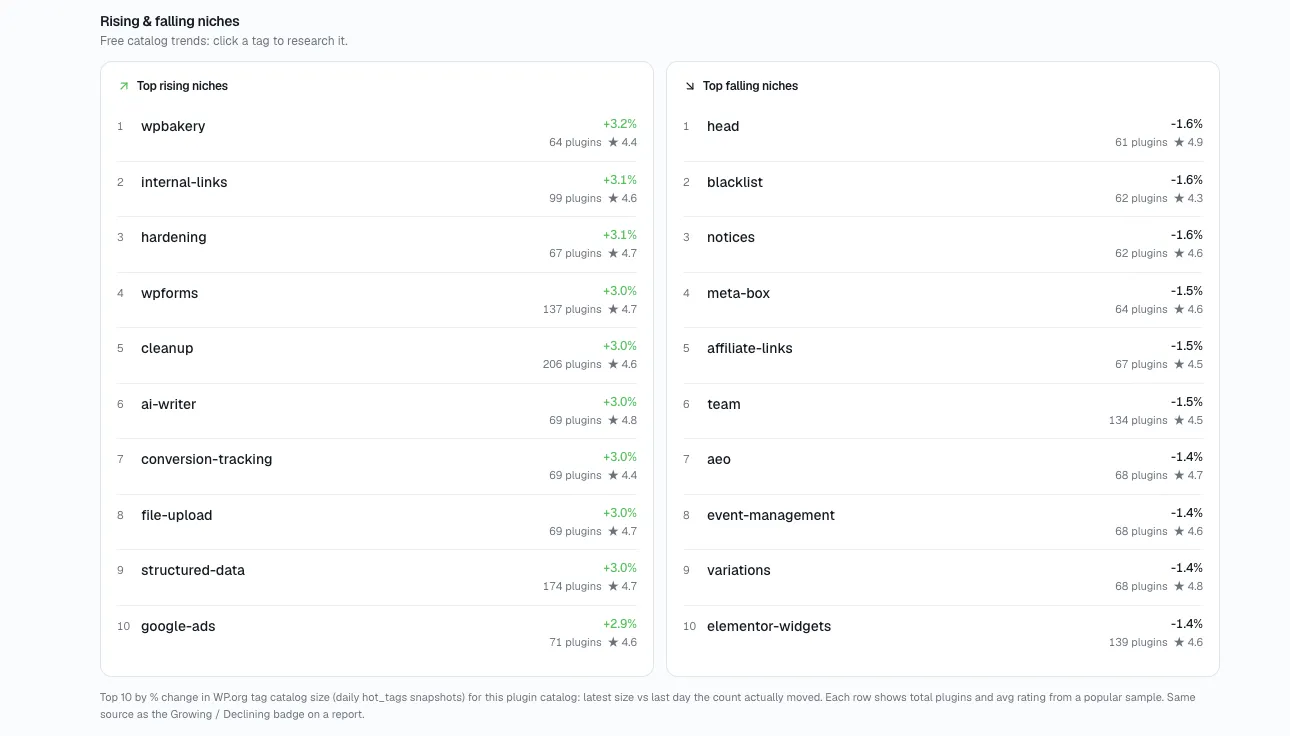
Every step below - the candidate count, the combined install trend, the maintenance density, the rising-and-falling read - lives inside StatWP's Niche Research tool for any tag or category, plugin or theme. Step 2 below walks through exactly where to click.
The upshot: To research a WordPress plugin niche before building in it, measure the whole category's combined install growth, what share is still actively maintained, and whether it splits into sub-niches with different competition levels - before you commit to one specific plugin idea.
Why picking the wrong category costs more than picking the wrong plugin
Jumping straight to validating a single plugin idea assumes you've already picked the right category to compete in. That assumption is expensive to get wrong. CB Insights' 2024 analysis of 431 VC-backed startup failures found that 43% cited poor product-market fit as the leading cause - ahead of running out of cash or having the wrong team - according to CB Insights' startup failure research. The plugin-world version of that mistake usually isn't a badly built plugin - it's a well-built plugin dropped into a category that was already saturated, or one nobody was searching for in the first place.
There's also a practical reason niche research has to happen separately: WordPress.org doesn't organize its 65,282 listed plugins (per plugin-count tracking by WP Odyssey) into a fixed category taxonomy the way a marketplace would. It uses free-text tags instead, so "a niche" is something you have to define and bound yourself before you can research it at all - nobody hands you a pre-built list of competitors in "conditional-logic form plugins."
Run these 7 checks in order
1. Get the boundary right - or nothing below works
Write down the boundary at the level you'd actually compete at, not the broadest tag it falls under. "SEO plugins" is too broad to research meaningfully - it mixes technical schema tools, content-scoring tools, and redirect managers into one bucket. "Schema markup plugins for local service businesses" is a boundary you can actually count competitors against.
If your boundary returns either 3 results or 300, it's set at the wrong altitude - widen it or narrow it until the candidate list lands somewhere between roughly 15 and 60 plugins.
2. Build the full candidate list, not a shortlist
Search your niche boundary and its close variants against the WordPress.org directory the way you would for a single plugin - except now you're building one list for the whole category instead of a shortlist for one idea.
Open statwp.com's Niche Research tool and run your niche boundary as a single search - you'll get every matching plugin back in one sortable list, with installs, rating, and update recency already filled in, instead of opening every WordPress.org tag page and plugin listing one at a time - the same search works for a theme niche, not just a plugin one. I should flag that this is the specific research this tool is built for, so take the recommendation as disclosed, not neutral. Either way, you want the full candidate list before you start scoring anything.
3. Look at the whole category's trend, not one plugin's
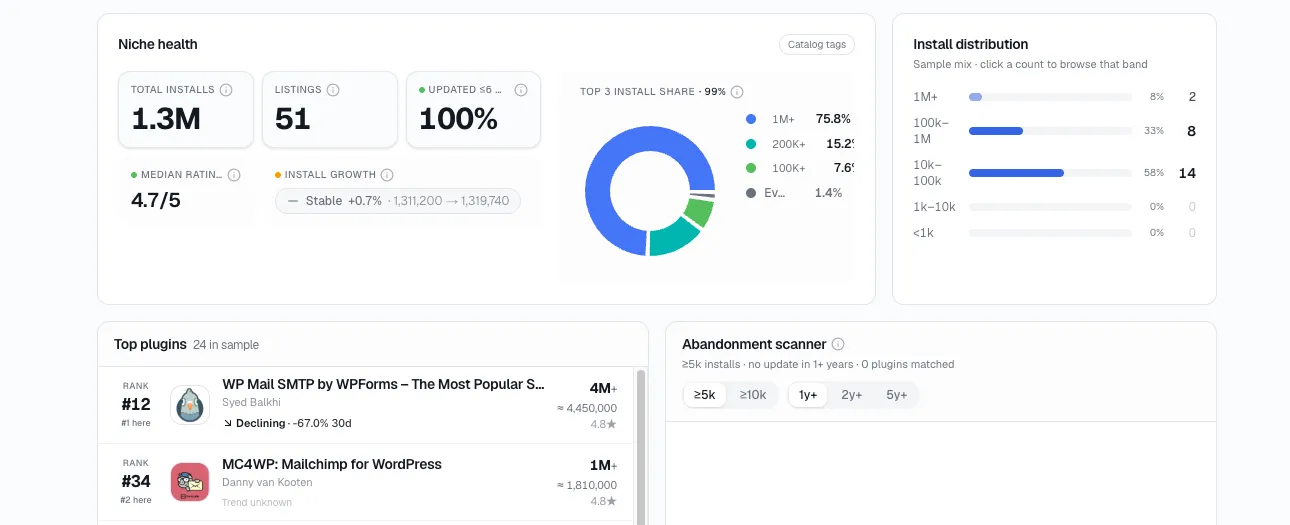
This is the step that differs most from plugin-level research. Instead of reading one trend line, look at the trend over the last 12 months across every competitor in the niche at once. This step and the maintenance-density check in step 4 are the core of what it means to analyze the health of a WordPress plugin niche as a whole, rather than judging it on candidate count alone.
A niche where the top five plugins are all climbing together is real category growth. A niche where the top five plugins show flat or declining combined installs - even if individual plugins are trading places at the top - means installs are moving between the players already there, not added from new demand. Those two situations produce an identical-looking "crowded top five" if you only glance at rankings; the combined trend is what tells them apart. Screening for that first pattern specifically is covered in our guide to finding WordPress plugin niches with room to grow.
4. Check it against the directory's own baseline
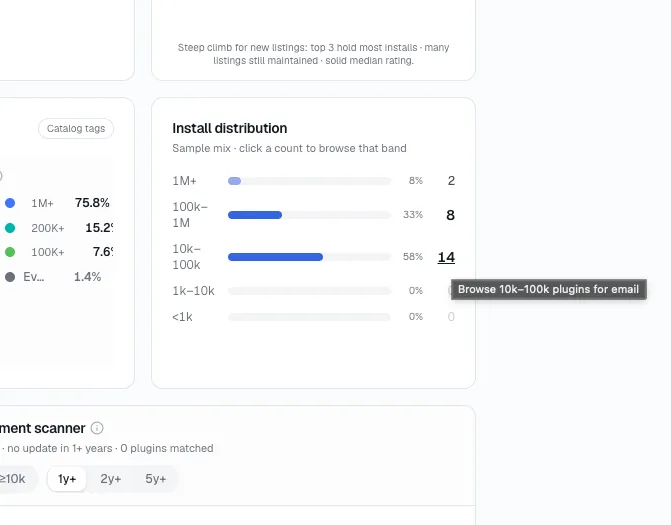
Check what share of your candidate list has shipped an update in the last two years, then compare it to the directory-wide rate.
Roughly 59% of the WordPress.org directory hasn't been updated in over two years, per WP Tavern's analysis of directory data - meaning roughly 41% of the full 65,282-plugin catalog, or about 26,770 plugins directory-wide, are actively maintained. That figure is a baseline, not a niche-specific measurement: it comes from applying WP Tavern's directory-wide rate to WP Odyssey's total count, so use it only to check whether your niche over- or under-indexes on abandonment, not as a claim about your specific category. I'd read a niche sitting well below that 41% baseline as more open than its raw plugin count suggests; one sitting above it, I'd call more actively contested than the count alone implies.
5. Find the sub-niche everyone else lumped together
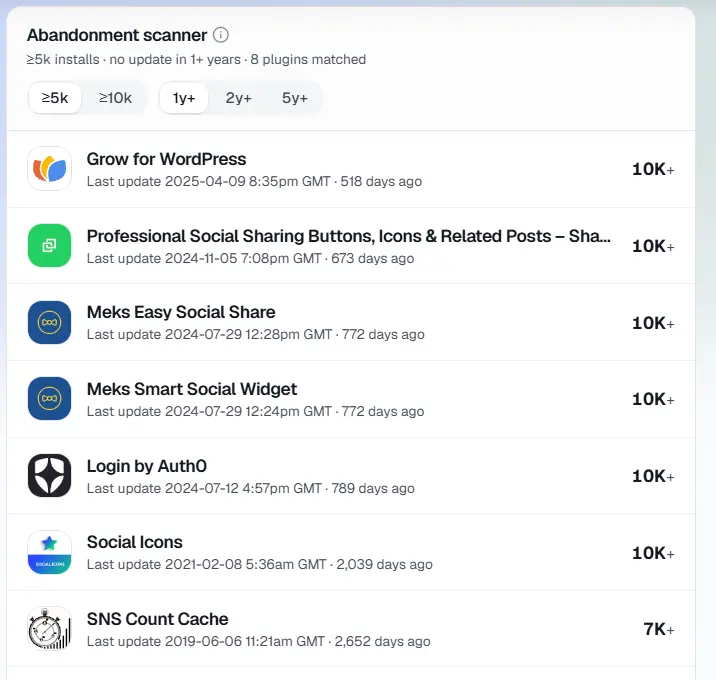
Take your candidate list and group it by what each plugin actually does within the boundary, not just the tag it shares. "Form plugins" splits into general-purpose builders, conditional-logic forms, multi-step forms, and payment-collection forms - four different competitive situations wearing one tag.
A top-level niche can look fully saturated while one of its sub-niches is nearly empty. I've found that gap is usually more valuable than anything you'd find by re-reading the crowded sub-niche's reviews, because you're not competing against an incumbent at all - you're establishing one.
6. Remember WordPress.org isn't the whole market
WordPress.org install counts only cover plugins distributed through the free directory. Premium marketplaces, direct-sale plugins, and SaaS-style add-ons that plug into WordPress compete in the same niche without reporting installs anywhere public - a real blind spot in every step of this process - I'd rather name it than ignore it.
Cross-check search interest and community chatter (forum threads, subreddit discussions, competitor changelogs from paid tools) for your niche boundary before you conclude a low WordPress.org count means low demand. I've seen niches look empty in the directory that were still well served by tools nobody indexed as a "plugin."
7. Turn all of this into one call: open, crowded, or shrinking
Boil all of this down into one of three calls:
Open. Growing combined installs plus a maintenance density below the directory baseline (or a genuinely underserved sub-niche from step 5) - move to validating a specific idea inside it.
Crowded but alive. Growing installs plus density above baseline and no clear sub-niche gap - you need a specific, narrow angle, not a general competitor. That angle is exactly what our guide on finding opportunities in a crowded WordPress plugin market walks through.
Flat or shrinking. Declining combined installs across the candidate list is a demand question first, not a verdict - a niche can shrink because the problem it solved got absorbed into WordPress core or a page builder, which I'd call a different finding than "nobody wants this."
The mistakes that undo all of this
Judging a niche by plugin count alone. Twenty listed plugins where five are actively growing is a different market than twenty where all twenty are stale - the count alone can't tell you which situation you're in.
Picking a niche because you understand the code, not because of a demand signal. Technical familiarity with a problem space is not evidence anyone is searching for a solution to it.
Skipping the sub-niche split. Averaging a whole category into one saturation verdict hides exactly the pockets of opportunity step 5 is designed to surface.
Only measuring WordPress.org installs. The directory is one channel among several competing for the same problem, and it's the only one with public numbers - which makes it easy to mistake for the whole market.
Questions worth answering before you commit
How is niche research different from plugin research?
Plugin research (covered in our earlier guide) validates one specific idea against its direct competitors. Niche research happens a step earlier - it sizes the whole category so you know whether you're picking an idea inside an open market or a saturated one.
How long should niche research take?
Budget 45-60 minutes for a first pass on one niche boundary. A niche that turns out to be too broad will cost you extra time redefining the boundary in step 1 before the rest of the process is useful.
What if a niche has no clear sub-niches?
Some niches genuinely don't split further - that's fine. Fall back to step 7's scoring using the combined trend and maintenance density alone, and treat the absence of a sub-niche gap as one input into the crowded-but-alive versus open call, not a dead end.
Can a shrinking niche still be worth entering?
Occasionally, but I'd treat it as the exception. Confirm the shrinkage is due to genuine falling demand and not because the problem moved into WordPress core, a page builder, or a competing platform - those are different findings that call for different decisions.
How many WordPress.org plugins are actively maintained?
Roughly 41% of the WordPress.org directory's 65,282 listed plugins have shipped an update in the last two years, per WP Tavern's analysis of directory-wide abandonment applied to WP Odyssey's plugin-count tracking - that's the baseline step 4 checks a niche's maintenance density against.
Now run it on your own niche
Before you validate a specific plugin idea, run its category through steps 1-7 above. Define the boundary, pull the candidate list and combined trend in StatWP's Niche Research tool, and check the maintenance density against the directory baseline before you decide the category is worth entering.
Once you've scored the niche as open, move to researching the specific plugin idea you want to build inside it.